


How I made a procedural game about shooting in rhythm
Introduction
So the concept for this game is essentially a game about shooting in rhythm. It was mainly a pretext to explore an idea that occupied my mind for a long time, which is how to procedurally generate the onset times for musical notes. After reading different articles on the subject such as this series of blog posts from Jesse of Giant Scam or some research papers, I decided to write my own algorithm for my game.
When talking about rhythm games, usually the main approach is to generate MIDI data with a digital audio workstation like Ableton or FL Studios and then retranscript this data in a game engine to generate the notes for the music. It ensures a full control over the notes but it also requires musical theory knowledge and the amount of content of the game is directly linked to the time you spent generating those musics.
A different approach and the one I have chosen for this game is to procedurally generate the content
thanks to an onset detection algorithm. Fortunately, onset detection is a concept well tackled in the
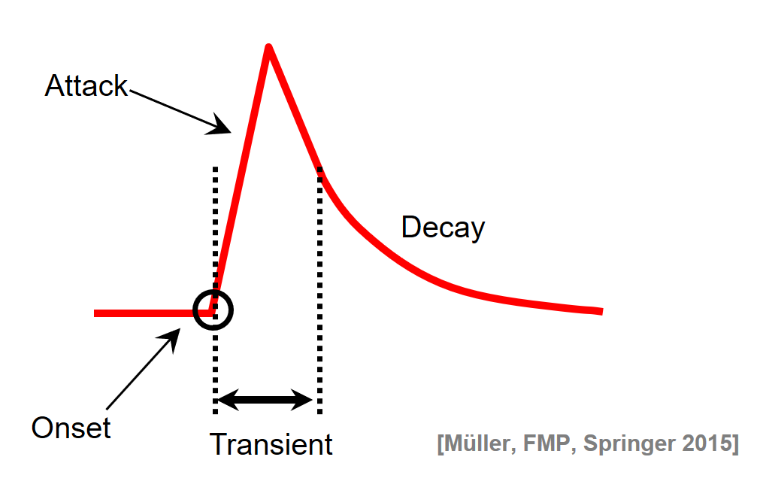
research world. Onset detection is about finding the start of a musical note immediately preceding the
attack. The aim of our algorithm will be to preprocess an audio clip and to generate all the peaks with
their corresponding time in the music.
Now that we have clarified what we want to achieve, here is the approach I’m going to take, based on the papers I’ve read. Our algorithm will be divided in 3 phases:
- Time-frequency processing
- Onset detection function
- Peak picking selection
Creating the algorithm
Time-frequency processing
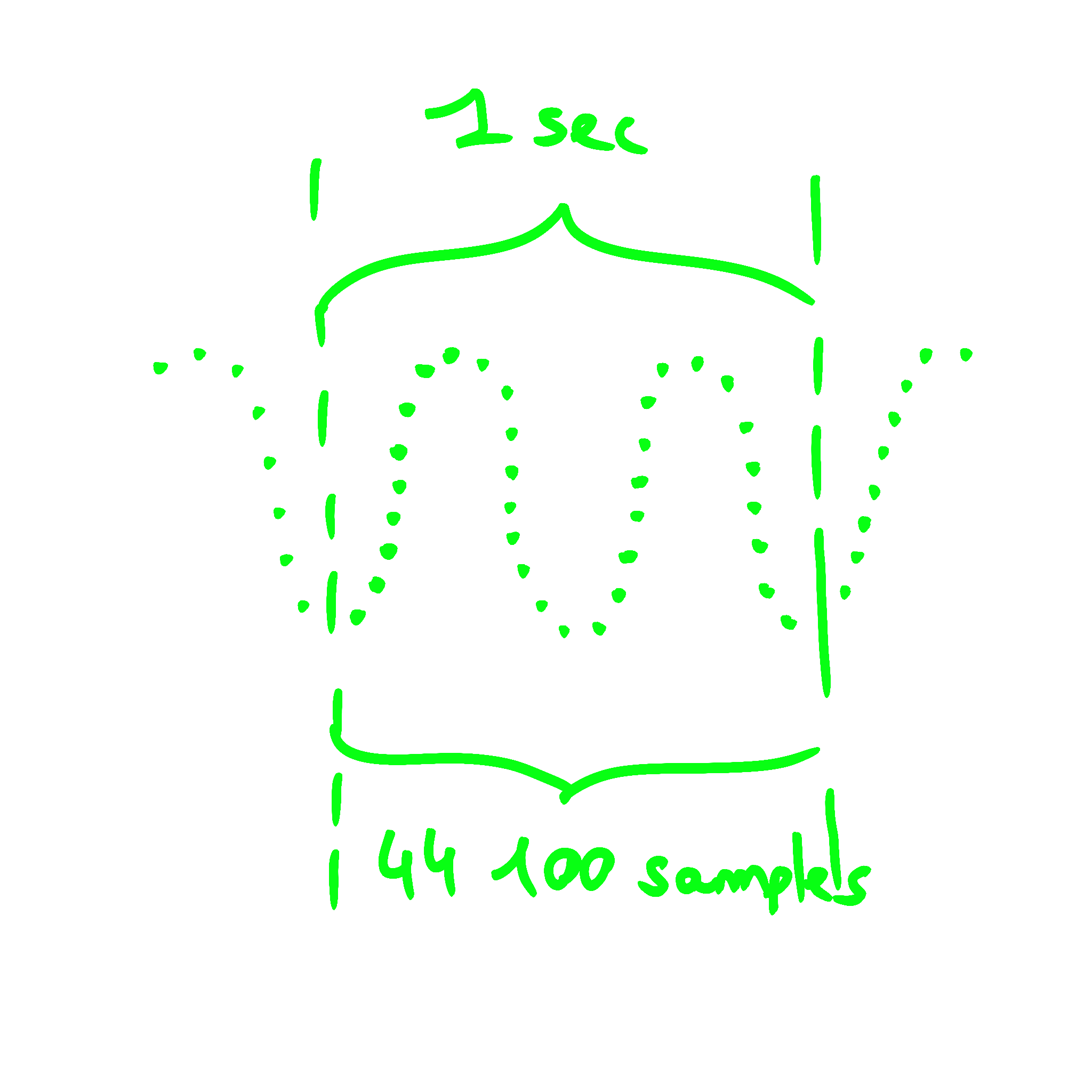
When importing an audio file in Unity such as .mp3 or .ogg, the audio is sampled according to the
sample rate (usually 44100 Hz or 48000 Hz).
 You can easily get access to the amplitude of the signal
for each sample using the
You can easily get access to the amplitude of the signal
for each sample using the AudioClip.GetData helper function. However the function we are
going to use for the onset detection requires access to the frequency domain rather than the time
domain. The frequency domain allows us to see the amplitude for each frequency for each sample,
giving us more information than only the time domain. We are going to use a fast Fourier transform
implementation in order to shift from the time domain to the frequency domain. This mathematical
operation can retrieve the different frequencies that compose an audio signal.
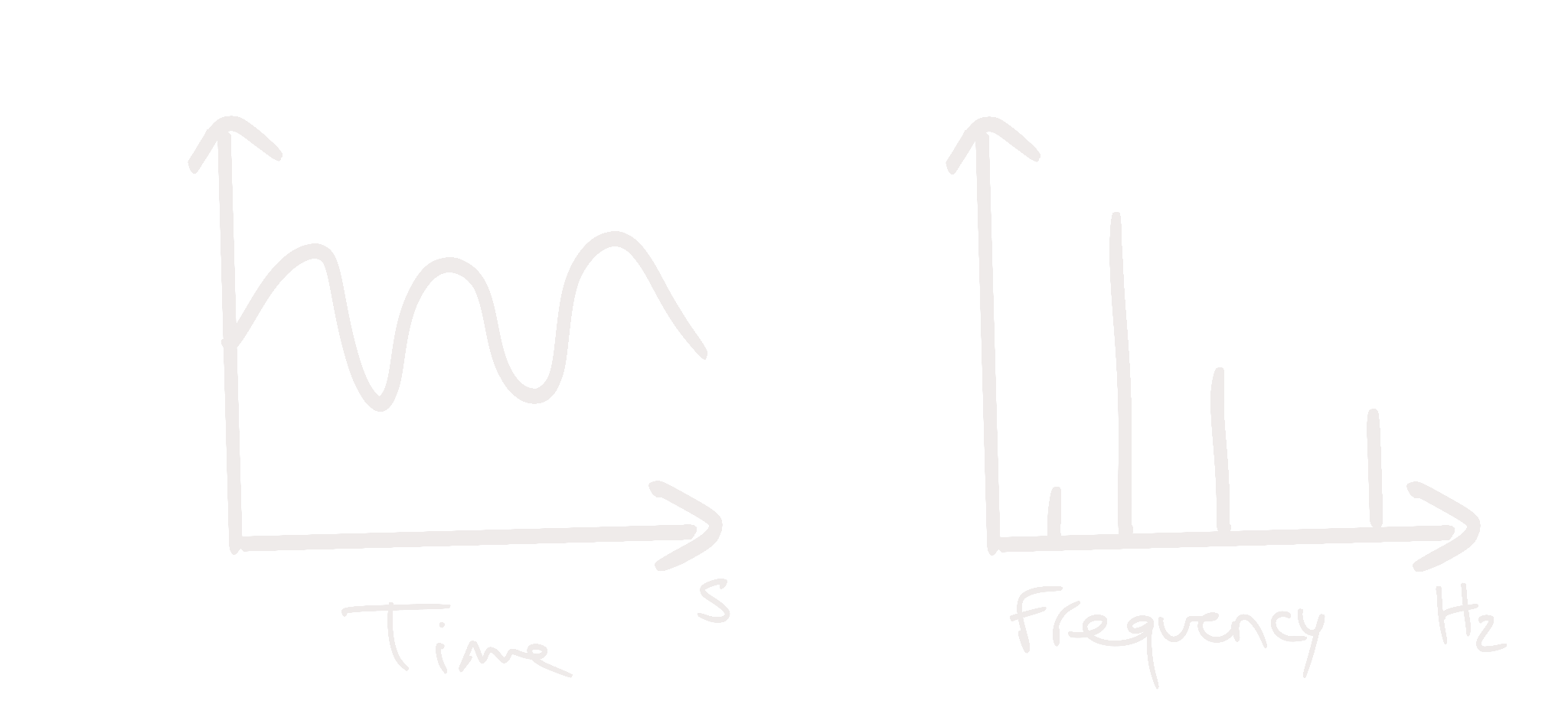
I used the DSP lib to perform this operation. Now our algorithm is able to perform upfront a fast Fourier transform for each sample in our signal giving us precious information about the frequencies.
Onset detection function
The data is prepared correctly and we need a function that is capable of detecting the onset of an audio signal using its frequency domain. The papers I’ve read mention different approaches such as using:
- the spectral flux
- the phase
- the pitch
For the moment, I tested only one method based on the spectral flux which I found out to be suited for
poly instrument audio signals. Spectral flux measures the change in magnitude in each frequency bin,
and if this is restricted to the positive changes and summed across all frequency bins, it gives the
onset function.
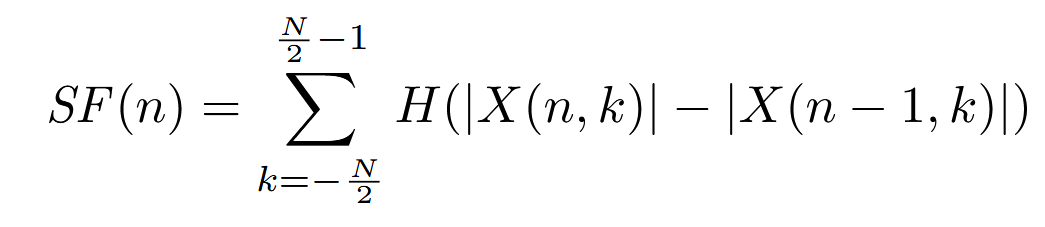
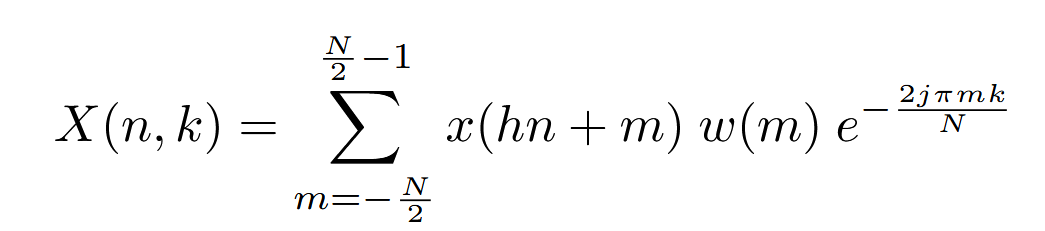
with:
X(n, k)represents the kth frequency bin of the nth frame- Hamming window
w(m) - window size
N = 2048(46 ms at a sampling rate ofr = 44100 Hz) - hop size
h = 441(10 ms, or 78.5% overlap) H(x) = (x + |x|) / 2is the half-wave rectifier function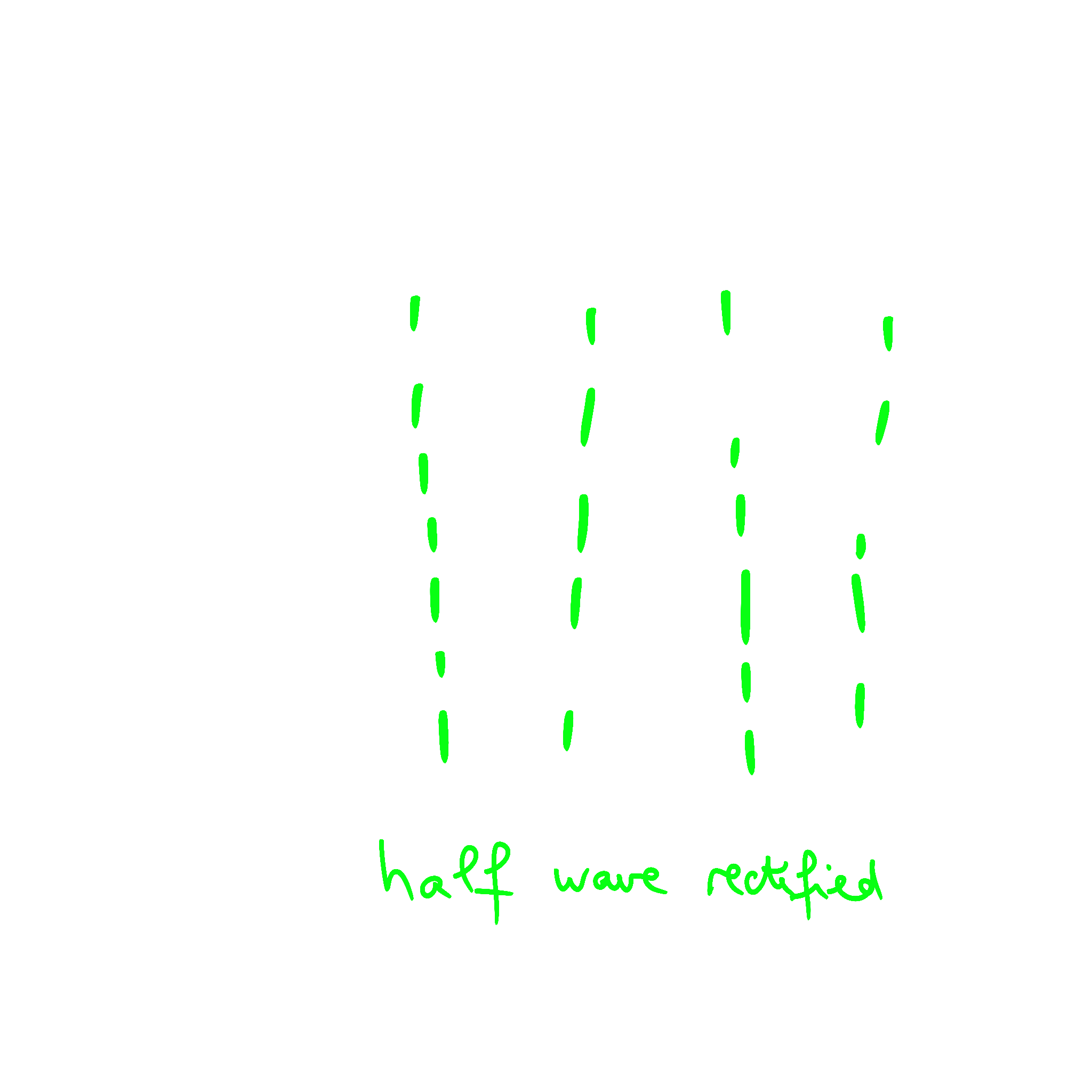
Peak picking selection
The onsets are selected from the detection function by a peak-picking algorithm which finds local maxima in the detection function, subject to various constraints. The thresholds and constraints used in peak-picking have a large impact on the results, specifically on the ratio of false positives to false negatives. For example, a higher threshold generally reduces the number of false positives and increases the number of false negatives. The best values for thresholds are dependent on the application and the relative undesirability of false positives and false negatives.
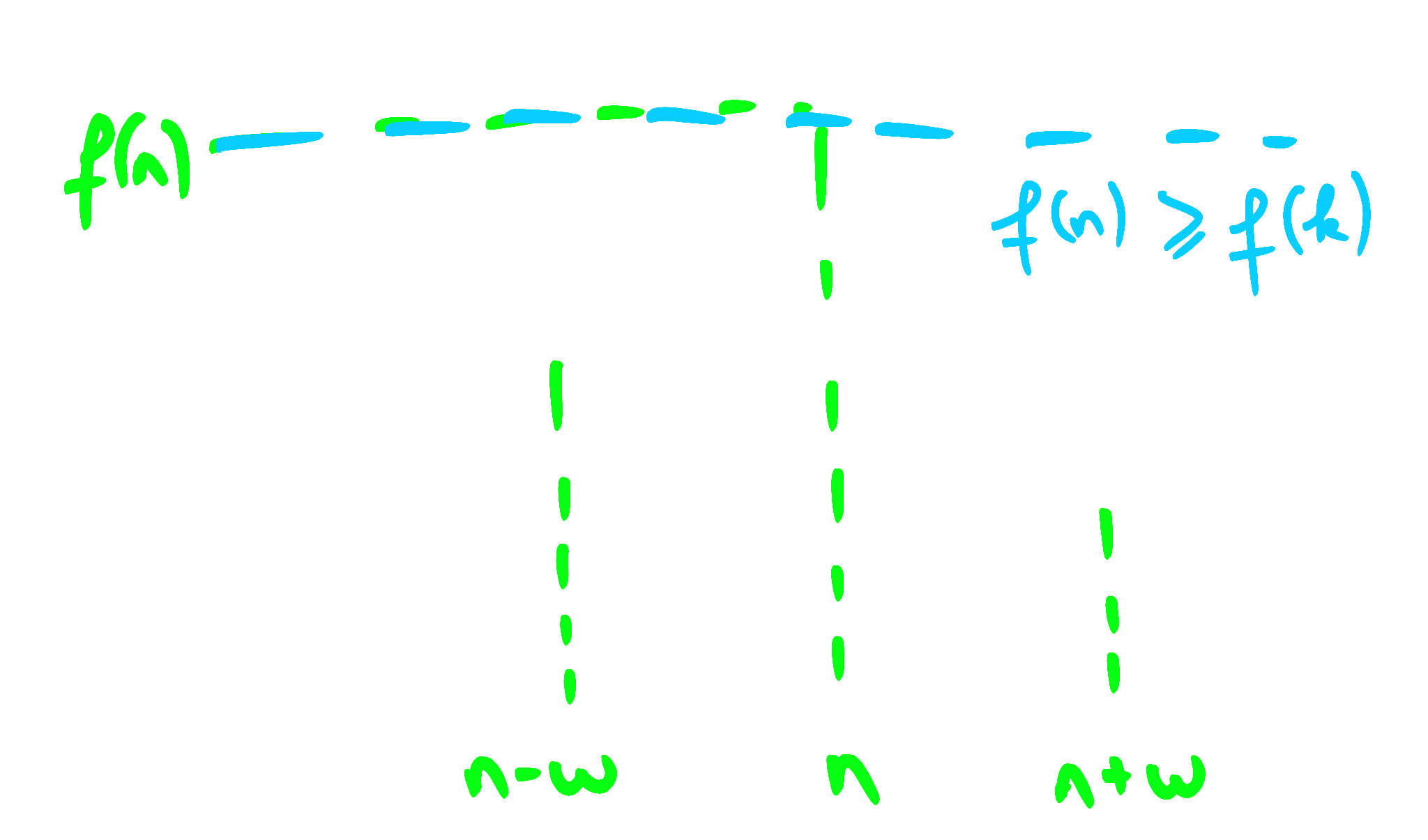
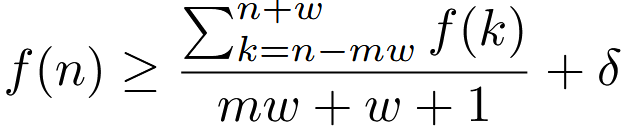
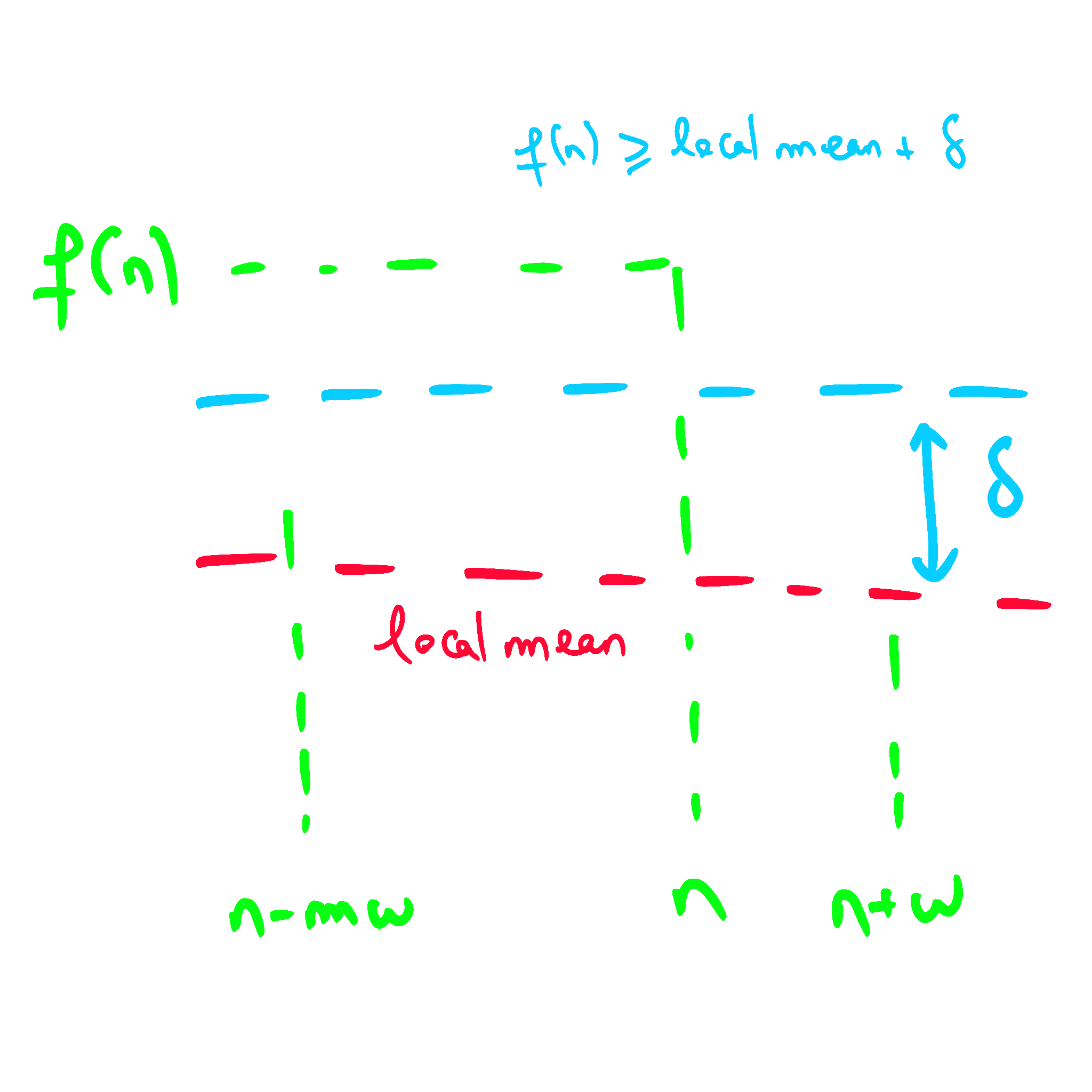
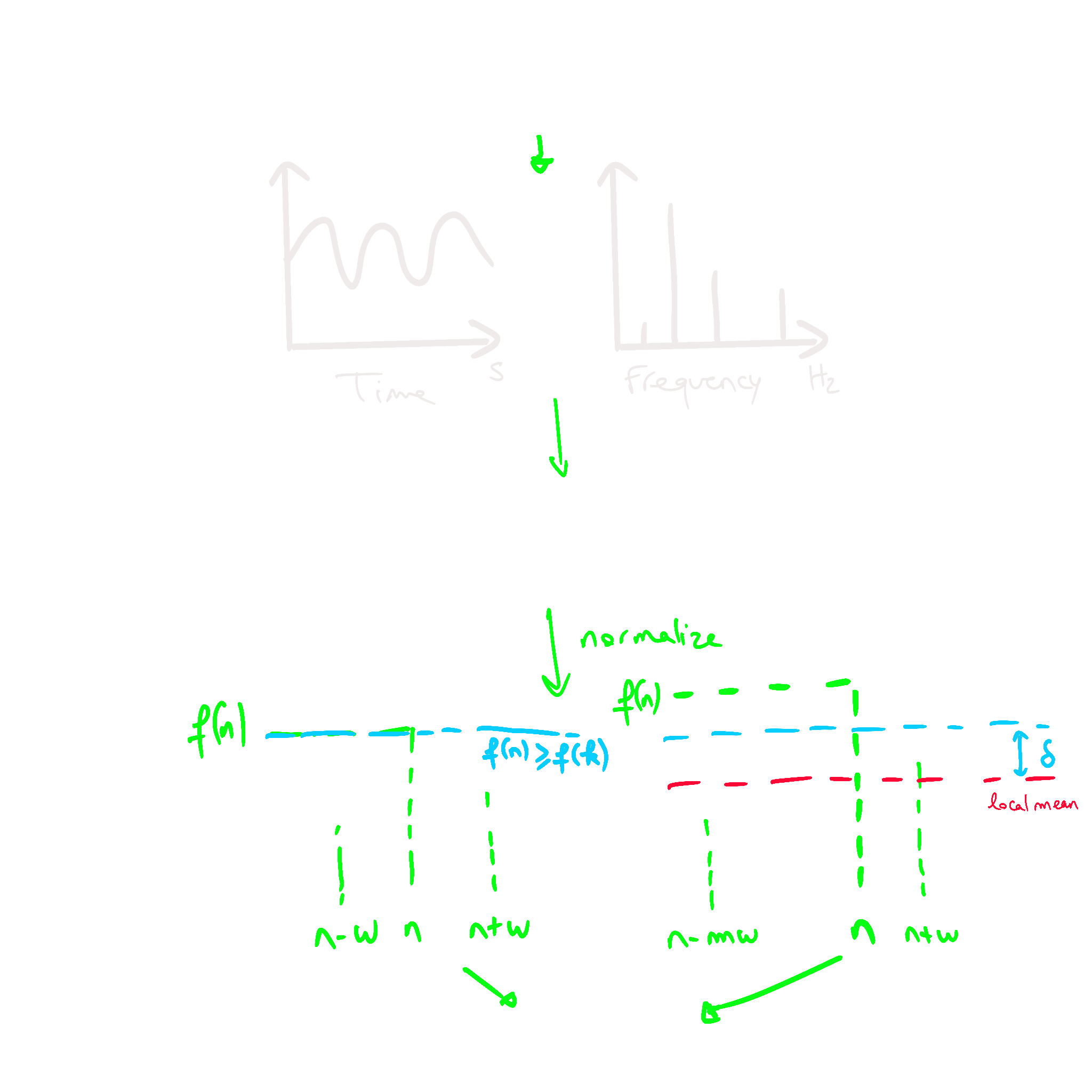
Peak picking is performed as follows: each onset detection function f(n) is normalised to
have a mean of 0 and standard deviation of 1. Then a peak at time t = nh/r is selected as
an onset if it fulfils the following two conditions:

In summary :
Creating a rhythm game based on our algorithm
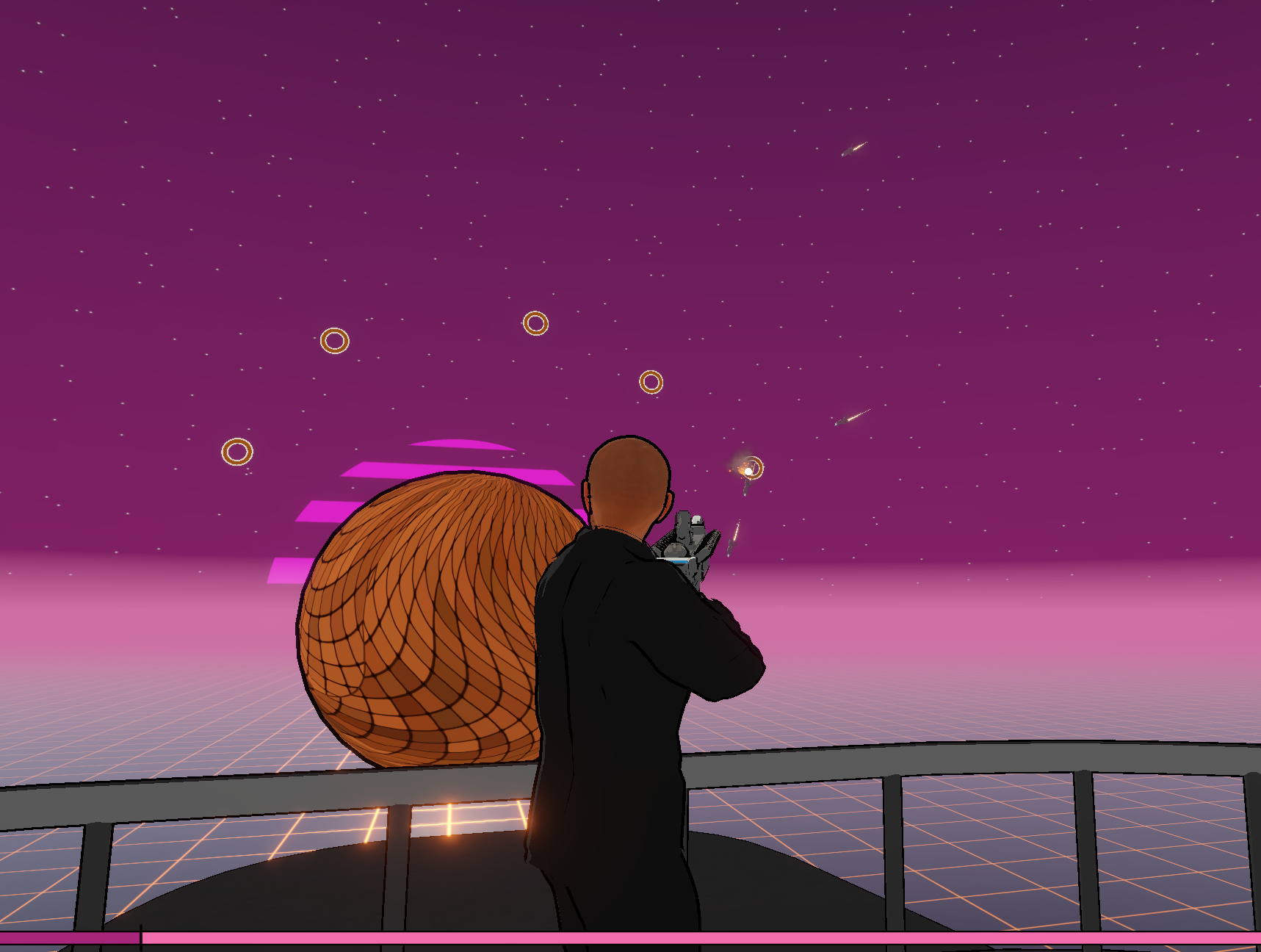
While I could have chosen to create another guitar-hero like game, I decided to try something else. Maybe it will work, maybe not. I tried to create a 3rd person rhythm shooter where you would defend a planet from crashing asteroids or ships.
The first thing I did was to spawn the little asteroids with the algorithm previously created. I spawn them ahead of time so it can reach the target right on time. I also auto-correct the delay introduced by the time needed to spawn the object by the computer at the beginning of the song. The asteroids follow a path I can refine like I want. They move at a constant speed so I can easily determine the time to reach the target knowing the length of the path.
I then grabbed a character model and a gun model, and added some animation rigging to make the character hold the gun. I then added a firing effect from the gun. To detect if we actually shot the ship correctly I used a raycast to have a very good accuracy.
After I decided it was time for some refinement on the graphics. I wanted to have a grasp on how it will look. I imported the toon shader from Unity and this lovely asset from “Suggo Creations”. I wanted to achieve a 90’s groovy style and this asset was perfect for it.
Then it was time to create the menu for my game. At first I used some licensed free Sci-fi UI I found on opengameart for placeholders but after a couple of weeks I refined everything completely and used Figma to create what we have today. I then added some settings and corrected the bugs I didn’t tackle until then.
The next big feature I wanted the game to have was to be able to import any song and generate the beat map on the fly. I used the “Another file browser” plugin from Srejon Khan to be able to open the file dialog in the build. When the song is imported, the beatmap is generated and saved in a JSON format in order to run the algorithm only once. The location of the song on your computer is also saved and I added a feature to remap the URL of the song in case it was moved. I then realized the place where I was saving the beatmap was not persistent across updates so I changed it to use the persistent data path Unity provides us.
Eventually, I added some statistics to the game, characterizing each note played according to the time it was supposed to be played and displayed all that at the end of the song. And voilà, we have our little game working. Is it fun to play? Well, it might not be the best game but I enjoyed playtesting it and the adventure to make it was also really fun.
Sources
- Jesse from Giant Scam: https://medium.com/@jesse_87798/d4c2c25d2f27
- Unity AudioSource.GetOutputData: https://docs.unity3d.com/ScriptReference/AudioSource.GetOutputData.html
- DSP lib: http://en.dsplib.org/dspl/
- Simon Dixon - Onset Detection revisited: https://ofai.at/papers/oefai-tr-2006-12.pdf
- Ruohua Zhou, Josh D Reiss - Music Onset Detection: https://eecs.qmul.ac.uk/~josh/documents/2010/Zhou%20Reiss%20-%20Music%20Onset%20Detection%202010.pdf